The Perfect Product Detail Page: Elements That Convert
A product page has one job: give a shopper enough confidence to buy. These are the elements we have found make the biggest difference to how product detail pages perform, from imagery and copy to delivery messaging and testing.
Introduction to Product Detail Pages
What is a Product Detail Page?
A product detail page (PDP) is the page for a single product on an eCommerce store. It carries the imagery, description, price, sizing, stock and delivery information a shopper needs to decide. A good PDP answers questions before they are asked, shows the product honestly, and makes the next step obvious.
Key Takeaways
- Imagery and video do most of the selling: show every angle, the detail up close and the product in use or on the body.
- Copy should answer the practical questions (size, fit, materials, care, delivery) in the brand’s own voice.
- Price, delivery costs and returns should be clear on the page, not discovered at checkout.
- Reviews, mobile performance and regular A/B testing are what keep a good product page improving.
High-Quality Product Images
Images create the first impression and carry much of the decision online, because shoppers cannot touch the product. They should show how the product really looks, so expectations match what arrives and returns stay down. Our Insight on product photography covers how to plan and shoot them.
The key aspects are a range of angles, zoom and customer photos.
Diverse Image Angles
Show the product from every side that matters: front, back, side and detail. For clothing, include the product on a model and laid flat; for jewellery, show scale on the body. A strong hero shot plus several supporting images helps shoppers understand size, shape and use.
Zoom Functionality
Zoom lets shoppers inspect fabric, stitching, finishes and stones, the details that justify the price. Make sure zoomed images are high enough resolution to be worth zooming into.
User Generated Content
Customer photos show how a product looks in real life, on real people. Inviting customers to add photos to their reviews builds trust in a way studio images cannot.
Engaging Product Videos
Video shows what still images cannot: how fabric moves, how a ring catches the light, how a bag opens and what fits inside. Short, well-lit clips that answer common questions keep shoppers on the page and help them decide.
Demonstrations, customer testimonials and short animations each have a role. Together they make the page more informative and more engaging.
On both WooCommerce and Shopify, 360º views, video and reviews can be added to product pages, natively or with well-supported extensions.

Phoria Jewellery shows 360º views and lifestyle video on every product page, alongside a 694% increase in total sales (July to December 2024 against January to June 2024).
Demonstration Videos
Demonstration videos show the product in use and highlight what sets it apart. Behind-the-scenes footage of how a piece is made can add to that, and builds trust in the brand.
Customer Testimonials
Video testimonials let customers speak for the product. Alongside written reviews and customer photos, they act as strong social proof.
Animated Images
Short looping clips or animated images show how a product moves and fits on the body: how a dress falls when walking, how a chain sits, how a jacket closes. For apparel and jewellery they answer the fit and movement questions that photos leave open.
Informative Product Descriptions
Good descriptions tell shoppers what the product is, why it is worth the price and whether it suits them. They should cover the facts clearly and sound like your brand.
Give shoppers the details that manage expectations: measurements, materials, how it is made and how to care for it. Explain what the product does for the customer, not only what it is.
The key elements are key features, size, fit and materials, and brand voice.
Key Features
Lead with the attributes that matter most to your customer, such as organic cotton, recycled silver, handmade in the UK or a limited run. Bullet points make them quick to scan.
Size, Fit and Materials
Give the size, measurements, weight, colour options and fabric composition. For clothing, add fit notes (true to size, relaxed, cropped), the model’s height and the size they wear, and a link to the size guide. Care instructions belong here too.
Clear fit and material information gives shoppers confidence and is one of the most practical ways to reduce returns.
Brand Voice
Write in a tone your audience relates to. Consistent wording and a clean, simple layout reinforce the brand, while clear, honest descriptions build authority and trust.
Clear Pricing and Discounts
Clear pricing encourages purchases and builds trust. Show the price prominently, and use contrasting colour or a simple label to draw attention to discounts.
Show all costs upfront. Including taxes and any extra fees in the displayed price, or stating them clearly, avoids surprises at checkout.
The key aspects are price display, discounted prices and free delivery thresholds.
Display Pricing
If you sell internationally, show prices in the shopper’s currency. Make it clear whether duties and taxes are included, so overseas customers know what they will pay.
Discounted Price
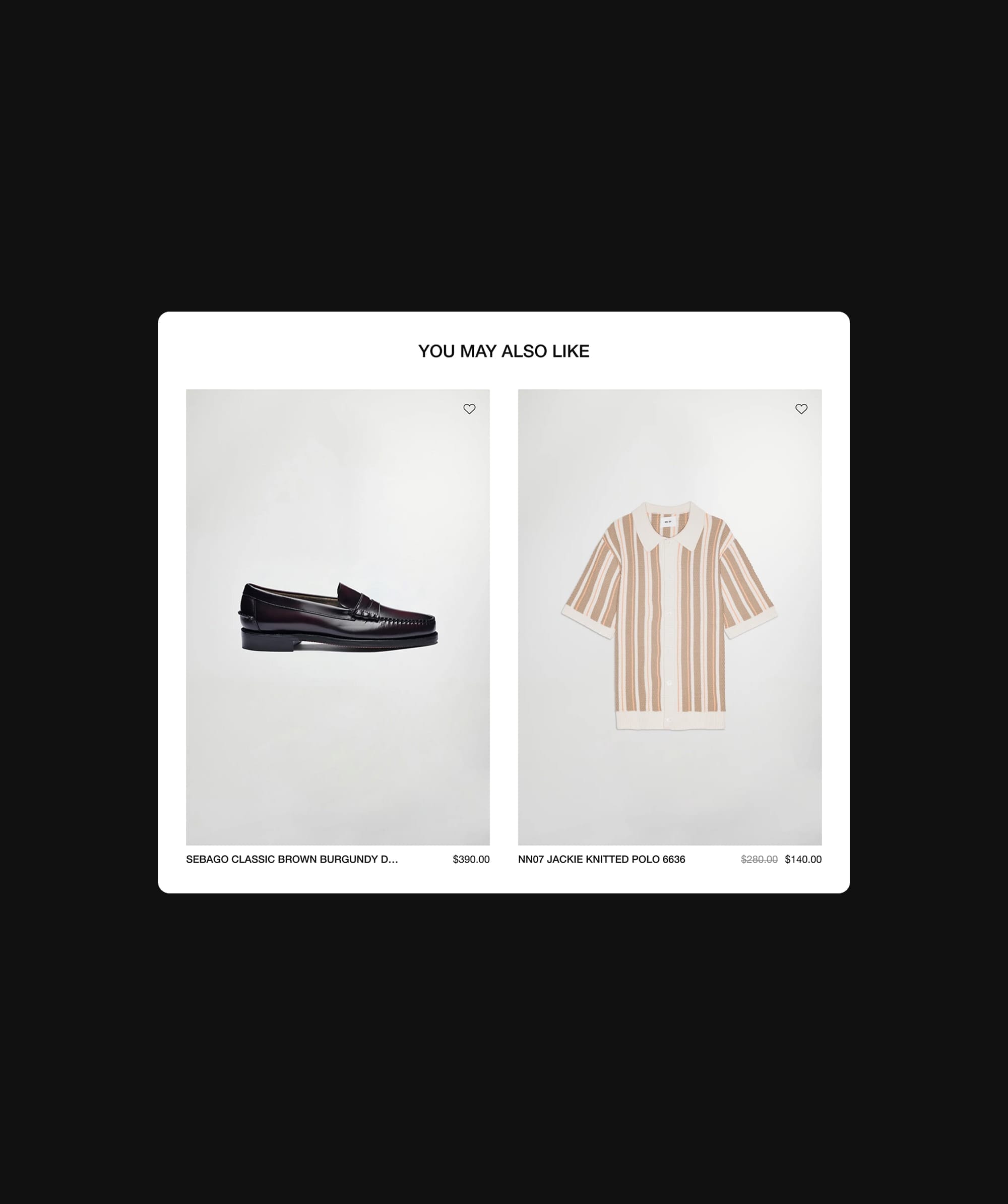
Show a discount by crossing out the original price and placing the sale price next to it, so the saving is obvious. Where stock of a discounted item is genuinely low, saying so can encourage a decision. If a discount is applied in the basket rather than on the page, say so near the add to basket button.
Free Delivery Threshold
Free delivery is a strong incentive. Showing the threshold on the product page, and how close the shopper is to it, can encourage them to add another item.
Prominent Call-to-Action Buttons
The call-to-action (CTA) button is where a shopper commits, so it needs to be clear and easy to find. Place it where it is visible without scrolling on most screens, and make sure shoppers know what will happen when they tap it.
The main types are Buy Now, Add to Basket and Wishlist.
Buy Now Button
A Buy Now button takes shoppers straight to checkout, which suits customers who already know what they want. Offer it alongside Add to Basket, not instead of it.
Add to Basket
The Add to Basket (or Add to Bag) button should be the most prominent action on the page. It suits shoppers who want to keep browsing before checking out. Make it obvious when an item has been added.
Wishlist Option
A wishlist lets shoppers save items they are not ready to buy yet. It keeps them connected to the product and gives them a reason to come back.
Customer Reviews and Ratings
Reviews build trust and influence decisions. Showing them on the product page, with star ratings near the product title, gives shoppers reassurance where they need it.
Customer photos with reviews add credibility, and replying to feedback shows that you are listening.
The key aspects are positive reviews, handling negative reviews and social proof.

On Love Spell, reviews sit across the homepage, category and product pages, and 3.94% of visitors request an appointment (2026).
Positive Reviews
A good volume of positive reviews reassures new customers about quality and fit. Ask for reviews after delivery, when the customer has had time to wear or use the product.
Handling Negative Reviews
Reply to negative reviews: thank the customer, acknowledge the issue and explain what you are doing about it. Where a review contains something inaccurate, correct it politely without dismissing the customer’s experience. Handled well, a reply to a negative review can build as much trust as a positive review.
Social Proof
Customer photos and videos show the product in real life and make it feel more trustworthy. Featuring them on product pages helps new shoppers picture themselves with it.
Delivery and Returns
Clear delivery costs, delivery times and a simple returns policy reduce hesitation. Shoppers should not have to go to checkout to find out what delivery will cost or when it will arrive. Our Insight on checkout optimisation covers what happens next.
Delivery Costs
Show delivery options and their costs on the product page, including any free delivery threshold and international options.
Delivery Times
Show an estimated delivery date so shoppers know whether it will arrive in time. Tracking updates after purchase add reassurance.
Returns Policy
A clear and fair returns policy reduces purchase anxiety. Summarise it on the product page, with a link to the full policy.
Mobile Optimisation
Many shoppers browse and buy on their phones, so product pages need to work just as well on a small screen. Responsive design, thumb-friendly controls and fast loading all matter. Our Insight on responsive web design covers what works across devices.
Responsive Design
Product pages should adapt to every screen size, with images, size selectors and the add to basket button easy to see and use on mobile.
Thumb-Friendly Navigation
Use large, well-spaced buttons and links so shoppers can tap what they mean to. Keep size and colour selectors, the add to basket button and key information within easy reach.
Fast Loading Times
Slow product pages lose shoppers. Compress and correctly size images, and keep scripts lean, especially on mobile networks. Our Insight on website speed covers how.
Comparison Tools
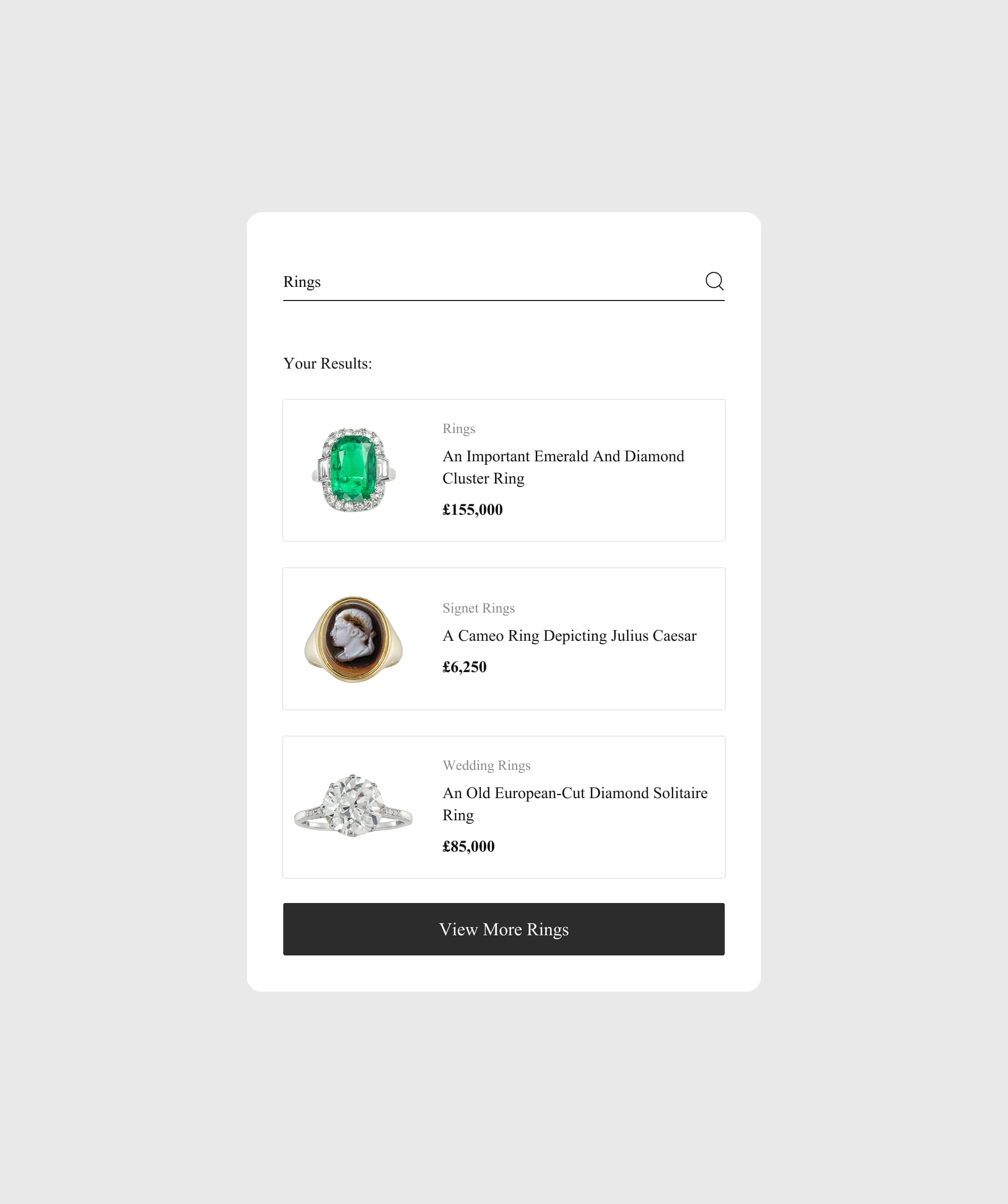
Comparison tools help shoppers choose between similar products. Apple is a good example: its product pages include comparison sections that set features, prices and sizes side by side.
Side-by-Side Comparisons
Compare the attributes that matter: features, dimensions, materials, colours, prices and ratings. A simple table often does the job.
Personalised Recommendations
Recommendations based on browsing and purchase history help shoppers find alternatives and items that go together. Our Insight on eCommerce personalisation covers how to approach it.
Highlight Differences
Make the differences between similar products obvious, using comparison charts or clear labels, so shoppers can choose quickly.
SEO Optimisation for eCommerce Product Pages
Product pages are often where shoppers land from search, so they need to be easy for search engines to understand. The essentials:
- Keyword research: find the words customers use to search for products like yours, and use them naturally in titles, descriptions and headings.
- Unique descriptions: write your own detailed descriptions rather than using manufacturer copy, and write for readers first.
- Image optimisation: use descriptive file names and alt text, and compress images so pages load quickly.
- Structured data: add product schema for price, stock and reviews, so search results can show them.
- Technical basics: make sure pages are mobile-friendly, fast and secure, with clear headings and internal links.
A/B Testing for Optimisation
A/B testing shows which changes actually improve your product pages, rather than relying on opinion. On a product page, good things to test include image order, description length and layout, where delivery and returns information sits, and the wording and placement of the add to basket button.
Set a clear objective before each test, change one thing at a time and run it long enough to reach a reliable result.

Our A/B Testing Insight covers how to plan, run and analyse tests on product pages, and how long to run them.
Summary
A strong product detail page combines good imagery and video, clear and honest descriptions, transparent pricing and a prominent call to action. Reviews, delivery and returns information, mobile performance and comparison tools all add to the shopper’s confidence.
Together, these elements build trust, answer questions and drive conversions. Keep improving them based on customer feedback and A/B testing.

Not sure which product page changes to make first? Our eCommerce Consultancy reviews your pages and data, then sets out what to fix and test first.
Frequently Asked Questions
Why are high-quality product images important?
Shoppers cannot touch the product, so images do much of the work. Good images create a strong first impression, show the product honestly and help set the right expectations, which builds trust and reduces returns.
How can product videos enhance the shopping experience?
Video shows how a product moves, fits and works in a way still images cannot. That helps shoppers understand the product and decide with more confidence.
What should be included in product descriptions?
Include the key features, measurements, materials, fit notes, care instructions and price, written in your brand’s voice. The aim is to answer the questions a shopper would ask in a shop.
How can I display discounts effectively on my product pages?
Cross out the original price and show the sale price next to it, using a contrasting colour or label to draw attention to the saving.
Why is mobile optimisation important for eCommerce?
Many shoppers browse and buy on their phones. Product pages that load quickly and are easy to use on a small screen make it easier for those shoppers to buy.