

Choosing the Best eCommerce Platform for Your Online Store
Choosing an eCommerce platform is one of the few decisions that is genuinely expensive to reverse. It sets what your eCommerce website can do, what it costs to run, and how much of your week disappears into managing it. This Insight covers what actually separates the popular eCommerce platforms, the costs that do not appear on a pricing page, and how to work out which one fits the way your business trades.
What is an eCommerce platform?
An eCommerce platform is the software that lets a business build and run an online store. It is the eCommerce solution underneath most of the eCommerce websites you buy from. It brings together the things needed to show products, take money, and get orders out of the door: storefront design, product and inventory management, payment processing, order management, and reporting.
The term covers a wide range. At one end sit simple online store builders aimed at someone selling a handful of physical products. At the other sit enterprise systems running eCommerce websites across multiple regions and bringing in new customers at scale. Most independent brands land somewhere in the middle, and the gap between those extremes is why platform comparisons are so hard to read: a recommendation written for a new online business is close to useless for an established eCommerce business doing serious volume.
The key features are broadly consistent across the category. Modern eCommerce platforms also connect online sales to other channels. A physical store through point of sale, social media, and marketplaces can all feed the same inventory. If you sell in more than one place, that connection matters more than most feature comparisons suggest.
Start with how you trade, not with the platform
Most eCommerce platform comparisons start with feature tables. That is the wrong end of the problem. The basic features are common to all of them: every major platform will let you list products, take payments, and ship orders. The differences that matter show up later, when your catalogue grows, when you want to do something the platform did not anticipate, or when you need to change something quickly during a trading period.
Before comparing anything, answer four questions about your own business.
- Who is buying? Direct to consumer, wholesale, or both. B2B needs account pricing, order minimums, and often credit terms. Very few eCommerce websites handle both well without additional work.
- How complex is your product data? A brand selling twenty styles in three colourways has different needs to one running seasonal drops across hundreds of variants with size grids that change by supplier.
- Who will run the online store day to day? If nobody on your team is comfortable in a content management system, that matters more than any feature comparison.
- What already exists? Your warehouse system, your accounting software, your email platform, your point of sale. Integration is usually where budgets go, not design.
Answer those honestly and the shortlist narrows on its own.
The three types of eCommerce platform
Before looking at individual names, it helps to understand the three categories they fall into. The category determines what you are responsible for, which matters more than any single feature.
Hosted platforms
Also called SaaS, or software as a service. Shopify, BigCommerce, Wix and Squarespace all sit here. The provider runs the servers, applies security patches, maintains the checkout, and handles compliance. You pay a monthly fee and you never think about infrastructure.
The trade is control. You work within what the platform allows. That boundary has moved a long way in recent years, but you will find it eventually if your requirements are unusual.
Open source platforms
WooCommerce is the most widely used. The software is free to download and you own the installation outright. You can change any part of it, structure your data however you like, and move it between hosting providers whenever you want.
The trade is responsibility. Hosting, security patching, plugin updates, backups and PCI compliance are yours to manage. Brands running open source stores either have someone technical in house, an IT team, or a partner handling it. Ignoring that work is the single most common reason open source eCommerce websites end up slow, broken, or compromised.
Composable and headless
Rather than one system doing everything, you assemble best in class components: one service for the storefront, another for product data, another for checkout. It offers a lot of flexibility and it suits businesses with genuinely unusual requirements and the engineering resource to support them.
For most independent brands it is more architecture than the business needs, and the ongoing cost of maintaining several connected systems is easy to underestimate. Very few eCommerce websites at this size need it. It is worth knowing the option exists rather than treating it as the obvious next step.

Platform choice depends on how your business actually trades, not on which name is most popular. We work out the right fit before anyone writes a line of code. See how we approach strategy.
WooCommerce
WooCommerce runs on WordPress and powers a very large share of independent eCommerce websites. It is the default choice for a great many small businesses running a WordPress site already. The plugin itself is free. What you pay for is hosting, any premium extensions you use, and development.
Where it is strong. Complete control over structure. If your product data does not fit a standard model, WooCommerce will bend to it rather than the other way round. Content and commerce sit in the same system, which matters for eCommerce websites running editorial alongside the shop. There are no additional transaction fees taken by the platform itself, though your payment provider will still charge its own processing fees. And because you own the installation, you are not dependent on a single company’s roadmap or pricing decisions.
Where it costs you. Someone has to maintain it. WordPress core updates, plugin updates, security patching, backups and hosting performance all need active management. Plugin conflicts are real and they tend to surface at inconvenient moments. A WooCommerce store without a maintenance arrangement is a store waiting for a problem.
Who it suits. Brands who want control over how the online store is structured, who publish content alongside product pages, or whose eCommerce site requirements do not fit neatly into a template. It also suits small businesses who want to start with something modest and expand it over years rather than replace it.

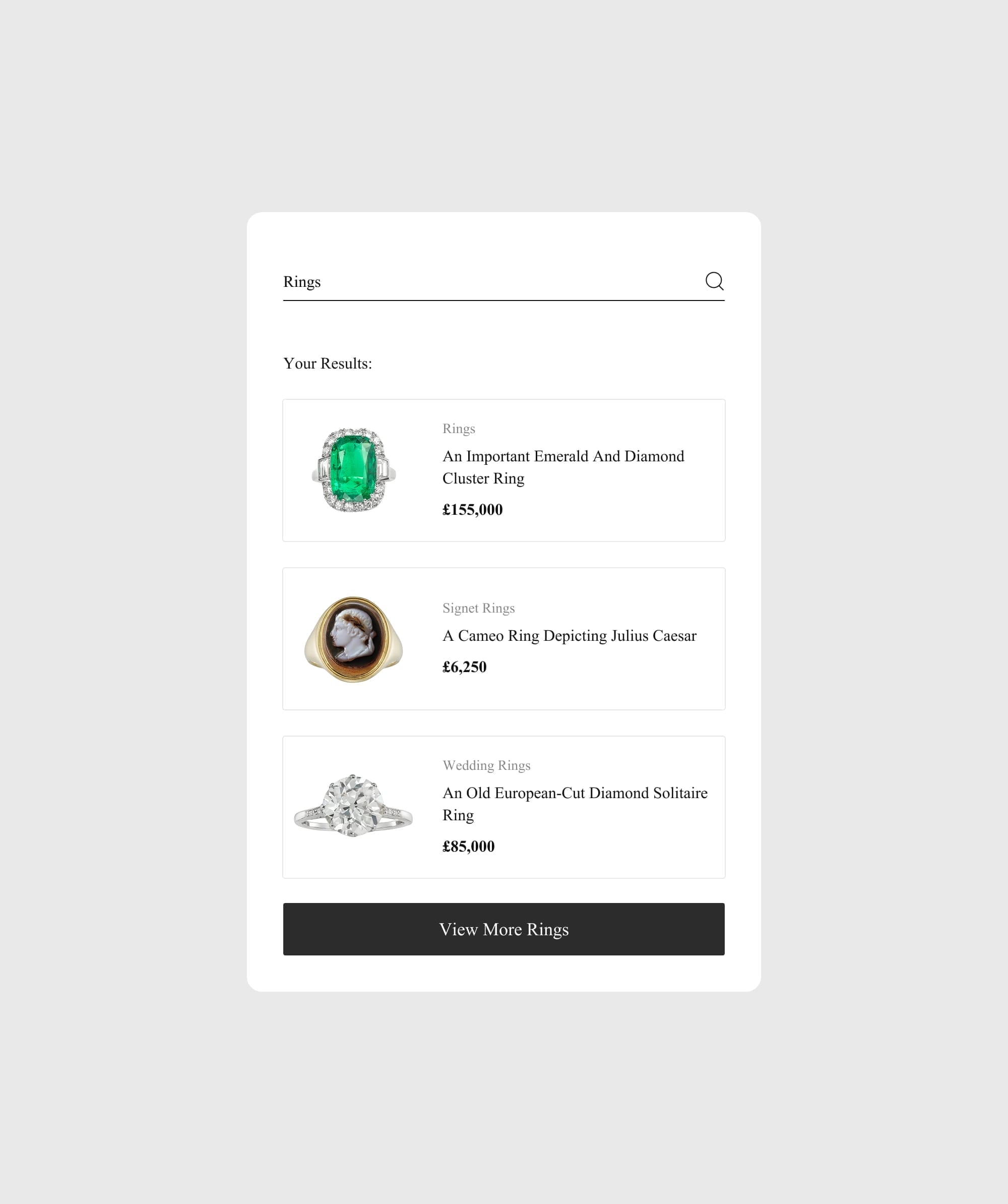
Bentley & Skinner needed a store built around a catalogue of one off antique pieces, which no standard template handles well. See how we built it.
Shopify
Shopify is a hosted platform, which means hosting, security, platform updates and checkout for your eCommerce website are all handled for you. You pay a monthly subscription and the infrastructure is not your concern.
Where it is strong. Nothing to maintain. Traffic spikes on your eCommerce site during a product drop or sale period run on Shopify’s infrastructure rather than a server you are monitoring. The checkout is maintained by Shopify, PCI compliant out of the box, and includes Shop Pay for returning customers, which is one of the few parts of a store you genuinely benefit from not owning. Multiple currencies and market specific pricing are built in rather than bolted on, which makes it straightforward to sell internationally. Recent versions of the platform use block based sections and metaobjects, so your team can reorder pages and update content in the admin without a developer.
Where it costs you. You work within the platform’s boundaries. Deeply unusual product structures or checkout requirements can be difficult or impossible below the enterprise tier, which is worth knowing if you are an established business with complex operations. Shopify also applies additional transaction fees if you use a payment provider other than its own, on top of whatever that provider charges. The app ecosystem solves almost any gap, but third party apps carry monthly fees that accumulate, and installing too many is a common cause of a slow store.
Who it suits. Brands who would rather spend their time on product and marketing than on a platform, and whose requirements sit within what a well built theme can deliver.

Atticus Finch Clothing came to us on an ageing theme that no longer reflected the brand. See what a full Shopify rebuild looks like.
The other platforms worth knowing
BigCommerce
A hosted platform aimed at larger catalogues and businesses selling across several channels. It does not add its own transaction fees on top of your payment provider, which makes the cost of high volume trading easier to predict, and it handles complex catalogues and multi channel inventory well. The theme and third party app ecosystem is smaller than Shopify’s, and there are limits on how many variant combinations a single product supports, both of which are worth checking against your requirements before committing.
Adobe Commerce
Formerly Magento. Highly configurable, with strong B2B and multi store capability, and priced and resourced accordingly. It requires specialist developers and a meaningful ongoing budget, so it is realistically an option for enterprise businesses rather than independent brands. For most retailers it is more eCommerce tool than the business needs, and the running cost is the reason many mid market retailers have moved away from it in recent years.
Wix and Squarespace
Both are website builders with commerce attached. Wix uses a drag and drop editor that makes it accessible to a business owner with no technical background, with a large template library and AI features that speed up building an online store. Squarespace is more design led, with a customisable checkout, though advanced selling features sit on its higher plans. Both offer a free trial and both are reasonable for a small catalogue. As order volume grows, the commerce tooling on either starts to feel thin.
The distinction worth holding onto is this. A website builder is an eCommerce website with commerce attached, and an eCommerce platform is commerce with an eCommerce website attached. Neither is better in the abstract. The best eCommerce website builder for someone testing an idea is a poor choice for a business processing hundreds of orders a week, and the reverse is also true.
What an eCommerce platform actually costs
Published subscription prices are the smallest part of the picture for any online business, and they change regularly, so check each platform’s own pricing page rather than relying on a comparison written months ago. What does not change is the structure of the total cost.
- Subscription or hosting. Monthly fees on hosted platforms. On open source, a hosting bill instead, which scales with traffic and how well the site is built. Free eCommerce software is not a free online store.
- Payment processing. Charged per transaction by your payment provider on every platform.
- Apps, plugins and extensions. Usually monthly, and the line item most often underestimated. Five third party apps at a modest monthly cost each becomes a meaningful annual figure.
- Design and development. The largest one off cost, and the one that varies most. It depends on the complexity of the build, not on which platform you picked.
- Maintenance. On hosted platforms this is included. On open source it is a real ongoing cost, whether you pay someone or absorb the time internally. Pretending it is free is how eCommerce websites end up out of date and eCommerce store owners end up with an unexpected bill.
Transaction fees and payment gateways
Transaction fees are the cost most often misread. There are two separate charges. The first is what your payment provider takes on every sale, which applies whatever platform you are on. The second is whether the platform adds additional transaction fees on top, which some hosted platforms do unless you use their own payment product.
Check which payment gateways each platform supports in your markets, and what payment options that gives your customers: cards, digital wallets, buy now pay later, and local methods where you sell internationally. Restricting payment options at checkout costs eCommerce websites more in lost sales than any fee saving is worth.
Work out the annual cost across all of the above before comparing platforms. A cheaper subscription with an expensive maintenance burden is not cheaper.

Maintenance is the cost most brands forget until something breaks. Our monthly support covers hosting, updates, security patching and daily backups. See what is included.
The features worth checking before you commit
Product and variant structure
This is the one most likely to cause problems later and the one most people skip. Ask how the platform handles the specific way your range is organised. Colourways of the same style. Size grids that differ by supplier. Products sold individually and as part of a set. If the platform forces an awkward workaround across your product pages now, that workaround will still be there in three years.
Checkout
Checkout is where the money is made or lost on all eCommerce websites. Look at how much of it you can change, what payment methods are supported in your markets, and whether returning customers get a faster route through. On hosted platforms the checkout is largely fixed, which is a limitation and a benefit at the same time. A customisable checkout gives you more control and more ways to break something.
Search engine optimisation
Every major platform handles the basics, and all of them market their SEO tools. Check the things that actually vary: control over URL structure, meta data, structured data and redirects, whether you can use a custom domain properly, and how the platform handles pagination and filtered collection pages. That last one is where large catalogues on eCommerce websites typically run into trouble with search engines.
Speed on mobile
Most fashion and lifestyle traffic arrives on a phone. Platform choice affects speed less than how the store is built and how many third party scripts get loaded onto it, but the platform sets the ceiling. Test a few live eCommerce websites built on the platform you are considering, on a phone, on mobile data rather than office wifi. A slow eCommerce site loses new customers before they reach a product page.
Inventory and order management
Stock accuracy is where operational pain starts for most online store owners. Check how the platform syncs inventory if you sell in more than one place, whether it can handle a physical store through point of sale, and what order management looks like day to day. Ask how it works with your shipping carriers, and whether label printing and dispatch can be automated rather than done by hand on every order.
Selling digital products
If you sell digital products alongside physical products, the requirements change. Secure file delivery, licence handling, instant access after payment, and VAT treatment that differs from physical goods. Not every eCommerce solution handles this natively and some need an extension or app to do it properly. Worth confirming before you commit rather than discovering after launch.
Analytics and built in tools
Every platform ships with built in features for reporting. What differs is depth. Look at whether you can see conversion across product pages and categories, basket behaviour during a sale, and where customers drop out. If the built in tools are thin, plan for external analytics from the start rather than as an afterthought.
Integrations
List every system your eCommerce website needs to talk to: warehouse, accounting, email, point of sale, marketplaces. Check each one before you commit, not after. This is where projects overrun.
Who can update it
If a homepage change needs a developer, it will not happen as often as it should. Ask what your own team can realistically update without help. A store nobody can edit becomes a store nobody edits.
Use the free trial properly
Most hosted platforms offer a free trial. Use it on your real requirements rather than the demo catalogue. Load twenty of your actual products with their real variants, set up a shipping rule you genuinely use, and try building the online store structure you want, including a drag and drop layout if the builder offers one. An hour spent doing that tells you more than any comparison, including this one.
What is the best eCommerce platform in the UK?
The eCommerce platforms available in the UK are the same ones available everywhere. What changes is the practical detail around them, and that detail is worth checking before you assume a platform popular in the United States will suit a UK retail business.
Payment providers
Check that the payment gateways you want to use are supported natively rather than through a workaround, and confirm the processing fees quoted apply to UK card rates rather than US ones. If you sell into Europe, check which local payment options are available, since these vary by market and can matter more than card rates for conversion.
Shipping and fulfilment
Confirm the platform works properly with the shipping carriers you actually use. Royal Mail, Evri, DPD and DHL all have different integration routes depending on the platform, and the difference between a native integration and a manual export is felt every single day once you are trading.
VAT and post Brexit selling
UK VAT handling, VAT on digital products, and selling into the EU all need the platform to support the right tax rules and customs documentation. Check this with your accountant rather than assuming the online store handles it.
What about moving platform?
Replatforming is expensive and disruptive, and it should never be the first response to a store that is underperforming. A slow, dated or awkward store is usually the result of how it was built and maintained rather than which platform it sits on. Rebuilding properly on the platform you already have is often the better answer.
Where a move genuinely is warranted, three things decide whether it goes well.
- Data. Products, variants, customers, order history and content all need to arrive intact and correctly structured. Product data is usually the hard part, particularly where variants have been modelled differently on each platform.
- Search visibility. URL structures rarely match between platforms. Every old URL needs a redirect to its closest equivalent, mapped before launch rather than discovered afterwards. This is the single most common cause of a traffic drop after a replatform.
- Testing. Place real test orders through every payment method and every shipping option before going live. Check the confirmation emails arrive. Check the order reaches your warehouse system.
So what is the best platform for eCommerce?
There is no single best eCommerce platform, and any comparison that names one without knowing your business is guessing.
The honest version is simpler than a feature table. If you want the platform to disappear so you can concentrate on product and marketing, a hosted platform is the right trade. If your requirements are unusual, your product data does not fit a standard model, or content sits at the centre of how you sell, open source gives you the control to build around that. If you are testing an idea with a small range, a website builder will get your online store selling quickly and you can move on when you outgrow it.
The wrong reason to pick a platform is because it is the one you have heard of most. The right reason is that it fits how your business actually trades, today and in three years.

We work in both WooCommerce and Shopify and make the recommendation after understanding how a brand operates, not before. See how we work.
Frequently Asked Questions
Which eCommerce platform is most popular?
WooCommerce and Shopify are the two most widely used platforms among independent online sellers, with BigCommerce, Wix and Squarespace also holding meaningful share. Popularity is a poor selection criterion on its own, since the largest platforms serve very different types of retail business.
What is the best eCommerce platform for small businesses?
It depends on who is going to run it. If nobody on the team is technical and the range is straightforward, a hosted platform removes the maintenance burden entirely. If the products or the way you sell them are unusual, an open source platform gives you room to build around that, provided maintenance is covered.
Is WooCommerce free?
The plugin is free to download and there is no platform subscription. Hosting, premium extensions, development and maintenance are not free, and together they are the real cost of running the store. Budget for all four.
How long does it take to build an eCommerce store?
A full build typically runs between four and twelve weeks depending on the platform, the size of your catalogue, and how many systems the store needs to integrate with. Product data preparation and integration work are usually the parts that take longest, not design.
Will moving platform affect my search rankings?
It can, and it usually does when redirects are handled badly. Every old URL needs mapping to its closest equivalent on the new platform before launch. Done properly, a short period of fluctuation is normal and rankings recover. Done badly, the losses can be lasting.