
Best Practices for Intuitive Navigation and Seamless User Experience
An effective website relies on intuitive navigation. We cover how to simplify menus, establish a logical structure, use visual cues, and more, to help users find what they need quickly and efficiently. Understanding the user journey is crucial to ensuring that visitors can navigate your site seamlessly.
Key Takeaways
-
Simplifying and prioritising menu items enhances usability and reduces cognitive load, improving both navigation efficiency and user satisfaction.
-
Establishing a logical hierarchy and consistent placement of navigation elements aids user comprehension and creates a seamless browsing experience.
-
Utilising visual cues and optimising for mobile devices are critical for intuitive navigation, ensuring users can easily navigate and access information across various platforms.
Understanding the Importance of Intuitive Website Navigation
Intuitive website navigation is the backbone of a seamless user experience. It enables users to find information quickly and efficiently, reducing bounce rates and increasing engagement. A well-designed navigation system guides users through the website, making it easier for them to achieve their goals, whether it’s finding specific information, making a purchase, or exploring content.
Intuitive navigation is essential for improving user satisfaction, conversion rates, and overall website performance. By providing easy access to content, intuitive navigation enhances user experience and encourages repeat visits. A user-friendly navigation system is critical for building trust and credibility with users, as it demonstrates that the website is designed with their needs in mind.
Moreover, intuitive navigation is a key aspect of user-centered design, focusing on the needs and preferences of the target audience. By prioritizing intuitive navigation, you ensure that your website not only meets but exceeds user expectations, fostering a positive and engaging experience that keeps users coming back.
Simplify and Prioritise Menu Items
The cornerstone of intuitive website navigation lies in reducing cognitive load through simplicity and prioritisation. Overcrowding the interface with unnecessary navigation elements distracts users, causing decision fatigue and leading to navigation abandonment. Limiting the navigation menu to a maximum of seven items prevents overwhelming users. This streamlining not only helps users navigate effectively but also enhances the speed at which menus load and improves readability.
Clear navigation labels are essential. Labels should describe the content topic rather than the format, giving users a clear idea of what to expect. Avoid generic labels and jargon; instead, opt for clear, concise, and directly related terms. This approach not only improves user comprehension but also aligns with search engine optimisation best practices and helps to avoid elements that confuse users. Additionally, using descriptive labels can enhance clarity. Understanding the user journey is crucial in this context.
Organising related items under intuitive categories improves usability and reduces cognitive load. A well-structured menu reflects the relationships between different web pages, guiding users naturally through the site. By prioritising items that align with your core offerings, you ensure that critical information is always within easy reach.
Logical Hierarchy and Structure
Establishing a logical hierarchy and understanding navigation patterns is crucial for intuitive navigation. Organising navigation items in a hierarchical manner helps demonstrate the relative importance of site pages to both users and search engines. Grouping related items together and creating essential categories ensures that users can find the information they need effortlessly.
Clear labelling and logical categorisation are vital for a transparent menu structure. This not only aids users in understanding the relationships between different sections of the website but also enhances the overall user experience. Effective navigation influences brand perception and enhances the shopping experience by allowing users to find information quickly. Understanding the user journey is essential for optimising these elements.
Seamless navigation is necessary for effortless content discovery. Well-placed navigation elements, combined with clear labelling and logical categorisation, contribute to creating intuitive navigation and easy access to a frictionless experience. This intuitive design approach keeps users engaged and encourages them to explore further.

Sitemaps are crucial for defining website structure and hierarchy. At Dazze Studio, we consider them a cornerstone of every project, ensuring a solid foundation for navigation and user experience.
Utilise Visual Cues
Visual cues are essential for enhancing user experience and navigation clarity. Elements such as arrows, icons, and typography guide users towards specific actions or content in an interface. Effective navigation design prioritises clarity, ensuring users can easily understand where they are and where they can go. Visual cues play a crucial role in the user journey, helping users navigate through the website seamlessly.
Using colours purposefully highlights important information and aids navigation clarity. Distinctive colours and sizes can guide users to key navigation elements effectively. Icons provide quick visual recognition and reduce cognitive load, improving user comprehension. Highlighting active menu items or page links indicates the current location and selected options, enhancing navigation.
Interactive elements, such as hover effects, provide immediate feedback to users, indicating that an element is interactive. These visual cues not only enhance the user experience but also make the navigation system more intuitive and engaging.
Optimise for Mobile Devices
Optimising navigation for mobile devices is essential in the smartphone era. Responsive design ensures seamless navigation across various screen sizes, providing a consistent user experience. Adopting a mobile-first approach ensures that your navigation system is adaptable and user-friendly on all devices.
Understanding navigation patterns is crucial for mobile optimisation, as it helps create intuitive and efficient pathways for users. The hamburger menu is a staple of mobile navigation, streamlining access to essential areas of the site. A clear and responsive search design is crucial for mobile users, who account for a significant portion of retail traffic. Ensuring that the search bar is prominently displayed and easy to access can significantly enhance the mobile user experience, especially when considering options like mega menus.
Prevent user overwhelm by avoiding excessive options or complex navigation structures. Instead, focus on creating a seamless user experience that guides users naturally through the site to avoid overwhelming users. Mobile optimisation not only enhances user satisfaction but also enhances user experience and improves overall website performance.
Enhance Search Functionality
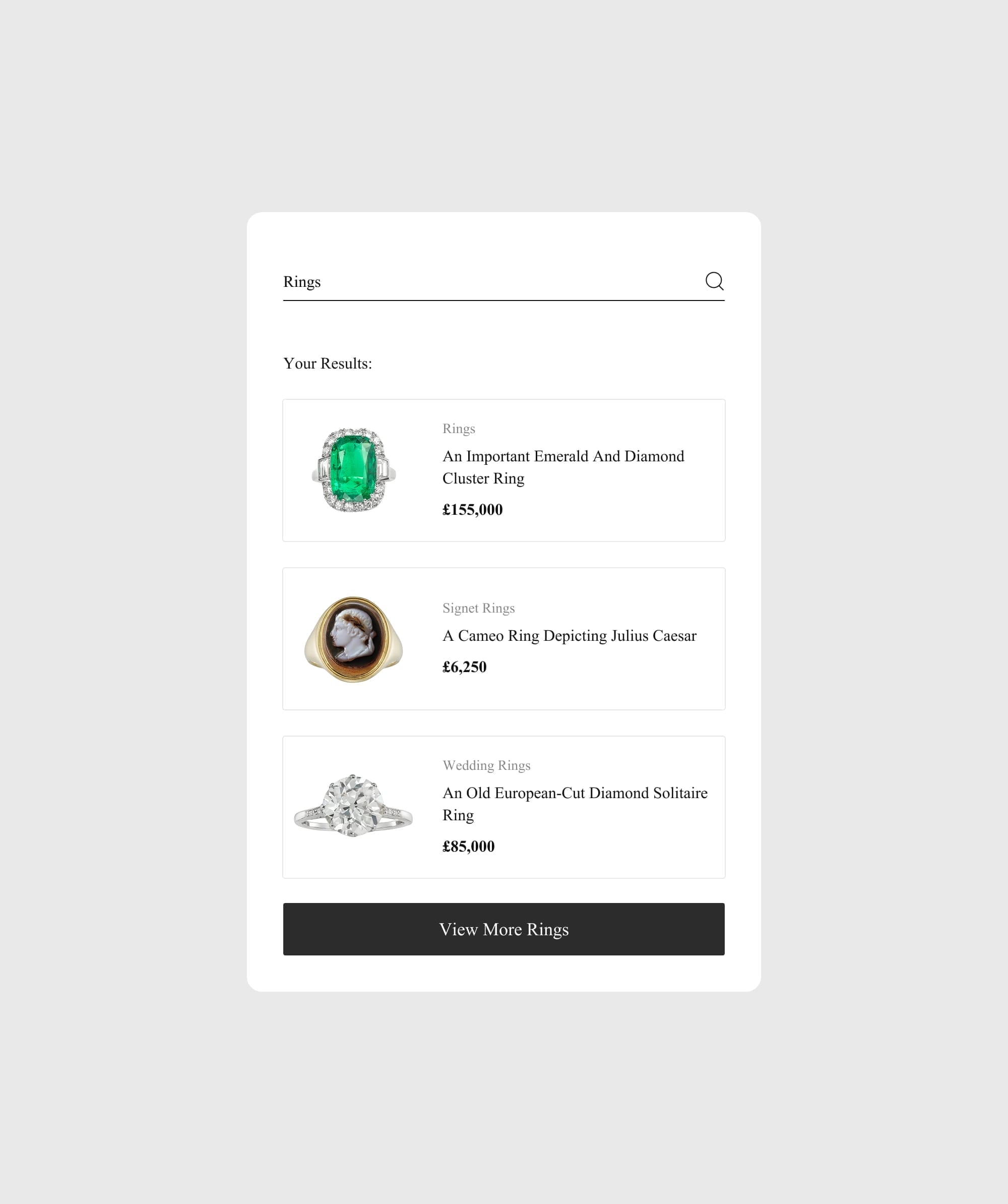
Improving search functionality significantly boosts intuitive navigation. Making the search bar highly visible and accessible on all devices caters to different user preferences and boosts site search usage. Intuitive search functionality should include features such as autocomplete suggestions and filters. Additionally, it should have error tolerance to enhance user navigation. Enhancing search functionality is crucial for improving the overall user journey.
Auto-suggest can help users refine their searches quickly, enhancing their experience. Implementing typo tolerance in search can prevent lost sales by properly handling misspellings and suggesting corrections. Utilising natural language processing in search queries can improve the relevance of search results by understanding user intent.
Personalising search results can increase conversion rates by showing users items they are more likely to purchase based on past behavior. Including visual elements in search results can enhance the user experience by making it easier to quickly identify desired products. These features collectively contribute to a seamless user experience.
Incorporate Breadcrumb Navigation
Breadcrumb navigation, as part of effective navigation patterns, offers a clear trail of user location, enhancing site navigation. Breadcrumbs help create a structured visual hierarchy, enabling users to see their current location in relation to other sections of the site. This feature is particularly useful for users navigating complex websites.
Breadcrumbs provide a clear path back to previous pages, reducing clicks and minimising frustration. They act as a roadmap that enhances the discoverability of content on large websites. Websites can customise breadcrumbs by choosing the type that best suits their structure.
The design of breadcrumbs should be simple and intuitive, making them unobtrusive but visible. Using breadcrumbs can alleviate user anxiety by clearly indicating the steps in a process, allowing users to feel more in control. This navigation feature is an essential element of a well-structured website.
Effective Use of Dropdown Menus and Mega Menus
Dropdown menus and mega menus are powerful navigation elements that can significantly enhance user experience. Dropdown menus provide a compact way to organise a large volume of content, making it easier for users to find what they need without overwhelming them with too many options at once. This streamlined approach helps users navigate efficiently and reduces cognitive load.
Mega menus, on the other hand, offer a more extensive and detailed navigation system, ideal for complex websites with multiple sections. They allow for the inclusion of various categories and subcategories in a single, expansive menu, providing users with a comprehensive overview of the site’s content. When using dropdown menus and mega menus, it’s essential to prioritise clear and descriptive labels, avoiding ambiguity and confusion.
Visual cues, such as icons and images, can be used to enhance the usability of dropdown menus and mega menus. These cues help users quickly identify and understand the options available to them. Additionally, responsive design is critical for ensuring that dropdown menus and mega menus work seamlessly on mobile devices, providing a consistent and user-friendly experience across all platforms.
By using dropdown menus and mega menus effectively, designers can create a more intuitive and user-friendly navigation system that enhances user experience and ensures easy access to content.

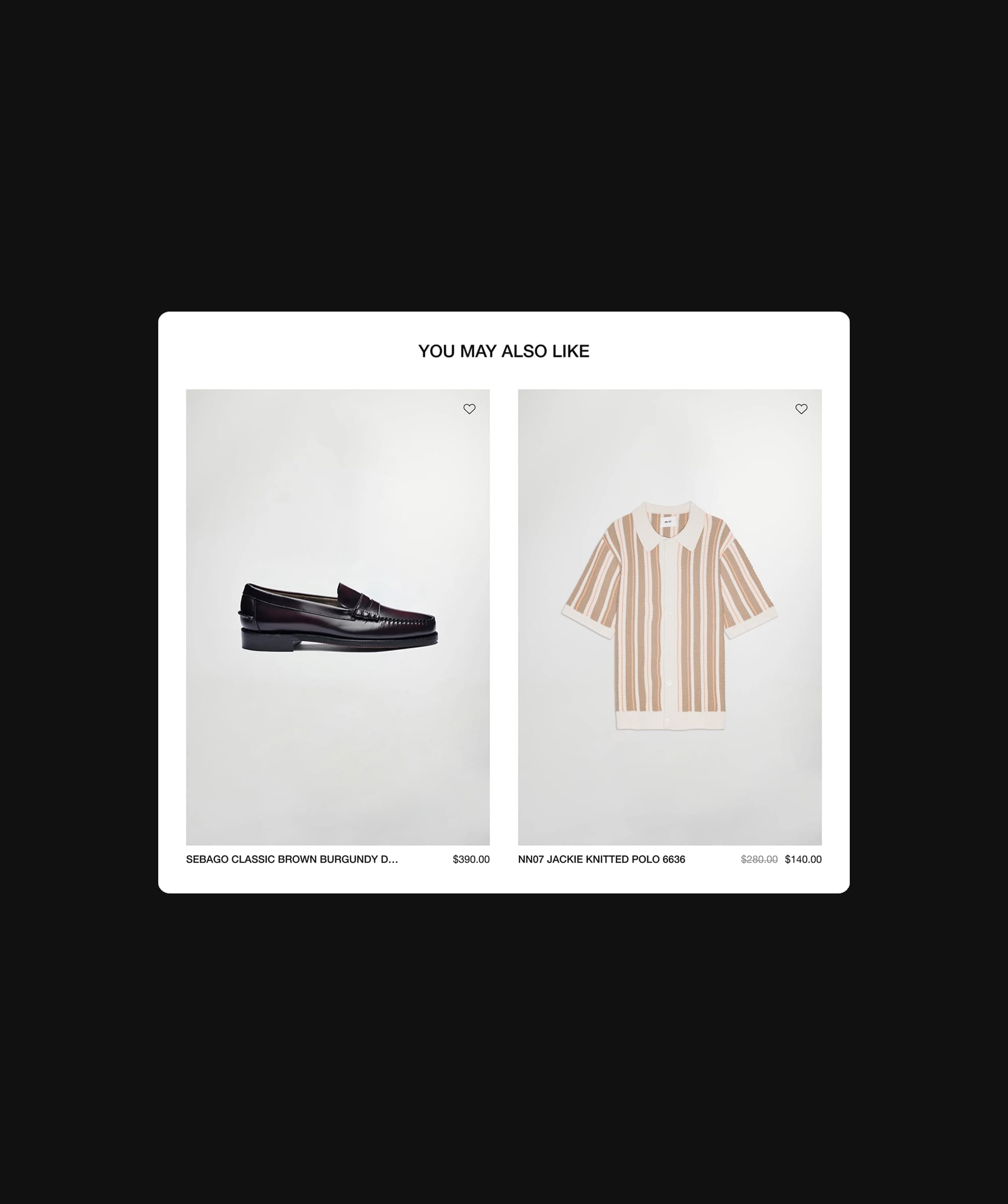
A great example of an effective mega menu is Gentlewench. Their menu features category and product highlights, alongside subcategory links to key shopping pages. These highlights serve as visual cues, guiding users to explore the latest categories and products with ease.
Efficient Filtering and Sorting
Efficient filtering and sorting maintain a clutter-free design and enhance search functionality. Common sorting options include arrangements such as alphabetical order, price ascending/descending, and by popularity or date. Filtering helps streamline large lists by allowing users to refine items by specific criteria, enhancing their search experience. These features significantly improve the user journey.
Many websites utilise interactive filtering, where search results refresh automatically after each selection, to improve user engagement. To avoid unnecessary reloading during multiple filter selections, some sites implement a temporary loading indicator that appears after a slight delay. Providing a ‘clear all’ option allows users to reset their filter selections with a single click, enhancing usability.
Displaying the number of items that match the current filter criteria can aid users in understanding the impact of their selections. Using chips to represent active filters provides a concise way for users to see and manage their selections. These techniques ensure that users can navigate large datasets effectively and efficiently.

In the discovery phase, we identified the need for a structured filtering system for Bentley & Skinner's jewellery. We implemented a custom solution on the category and search pages to enhance the shopping experience.
Consistent Placement of Navigation Elements
Placing navigation elements consistently and following established navigation patterns is crucial for intuitive navigation. The navigation menu is typically placed at the top or left side of the page to create consistency. Maintaining uniformity in navigation layout across different pages helps users develop familiarity and confidence while browsing.
Uniform navigation elements across a website enhance user familiarity and reduce confusion. Consistent use of visual cues across a website helps users learn how to interact more effectively. Accessibility features in navigation should include logical organisation, consistent layout, and keyboard navigation support.
By ensuring that navigation elements are consistently placed, users can navigate your site with ease and confidence. This approach not only enhances the user experience but also contributes to a seamless user experience across the entire website.
Common Navigation Mistakes to Avoid
Designing an intuitive navigation system requires careful consideration to avoid common pitfalls that can hinder user experience. One major mistake is overwhelming users with too many navigation options, which can lead to decision fatigue and frustration. Simplifying the menu and prioritising essential items can help users navigate more efficiently.
Using non-descriptive labels or ambiguous terms can confuse users and hinder navigation. It’s crucial to use clear, concise, and descriptive labels that accurately represent the content they link to. Ignoring accessibility guidelines can make navigation difficult or impossible for users with disabilities, so it’s important to ensure that your navigation system is inclusive and accessible to all users.
Failing to test navigation design can result in usability issues and a poor user experience. Regular testing and gathering user feedback can help identify pain points and areas for improvement. Not considering user preferences and behaviour can lead to a navigation system that is not intuitive or user-friendly. Understanding your audience and designing with their needs in mind is essential.
Using too many navigation elements, such as multiple menus and search bars, can clutter the interface and confuse users. It’s important to maintain a clean and organised layout. Not providing clear visual cues, such as active states and hover effects, can make navigation more difficult. Visual cues help guide users and indicate interactive elements, enhancing the overall navigation experience.
By avoiding these common mistakes, you can create a navigation system that is intuitive, user-friendly, and enhances the overall user experience.
Test and Iterate Based on User Feedback
Optimising navigation and enhancing user experience depend on testing and iterating based on user feedback. Testing should occur early and frequently throughout the design process to optimize usability. Continuous user testing ensures the website meets the needs and expectations of its target audience. This iterative process significantly improves the overall user journey.
User feedback identifies pain points and areas for usability improvement. A/B tests and analysing heatmaps can offer valuable insights. Additionally, gathering user feedback also contributes to enhancing navigational UX. Tools like Hotjar and Google Analytics can be used to test website navigation effectiveness.
Incorporating user preferences boosts engagement and conversion rates. Documenting design changes helps maintain consistency and effectiveness during the iterative process. This approach ensures that your navigation system is always aligned with user expectations and preferences.
Summary
Creating intuitive navigation patterns is both an art and a science. From simplifying menu items to optimising for mobile devices, each best practice plays a crucial role in enhancing the user experience. By following these guidelines, you can ensure that your website is easy to navigate and user-friendly.
Intuitive navigation not only improves user satisfaction but also drives conversions and reduces bounce rates. A well-structured navigation system keeps users engaged and encourages them to explore further. Remember, the goal is to create a seamless user experience that guides users naturally through your site. Understanding the user journey is essential to achieving this.
Implementing these best practices will help you create a navigation system that is both functional and aesthetically pleasing. Keep testing and iterating based on user feedback to ensure your navigation system remains effective and aligned with user expectations. Happy navigating!
Frequently Asked Questions
Why should the navigation menu be simplified?
A simplified navigation menu enhances usability by improving readability and reducing cognitive load, allowing users to locate essential information more efficiently. Thus, it leads to a more intuitive and effective user experience.
How does a logical hierarchy benefit website navigation?
A logical hierarchy significantly enhances website navigation by clarifying the importance of pages and illustrating the relationships between sections. This organisation makes it easier for users to find information, ultimately improving their overall experience.
What role do visual cues play in navigation?
Visual cues are essential in navigation as they guide users toward specific actions or content, enhancing clarity and reducing cognitive load. Their effective use can significantly improve the overall user experience.
Why is mobile optimisation important for navigation?
Mobile optimisation is crucial for navigation as it enhances user experience on various devices, particularly for mobile users, and significantly improves website performance. This ultimately leads to better engagement and satisfaction.
How can testing and iterating improve navigation?
Testing and iterating enhance navigation by uncovering user pain points and optimising usability, ultimately ensuring that the system aligns with user expectations. This process fosters a more intuitive and efficient user experience.