
Mastering Responsive Web Design: Designing Websites That Adapt Seamlessly to Any Device
Responsive web design is essential for creating websites that work well on any device. This article highlights key techniques and tools for implementing responsive web design, enabling websites to adapt seamlessly to any user’s device, from smartphones to desktops.
Introduction to Responsive Web Design
Responsive web design, also known as responsive website design, is an essential element of contemporary web development, enabling websites to seamlessly adjust to various screen sizes and devices. With the increasing popularity of smartphones and tablets, it’s essential for businesses and website owners to have a responsive website that can cater to this growing mobile audience. Responsive web design provides a seamless and user-friendly experience for users, regardless of the device they use. It involves designing and developing websites in a way that allows them to respond to the user’s device, screen size, and orientation.
By implementing responsive web design, web designers ensure that web pages look and function optimally on any screen size, from the smallest smartphones to the largest desktop monitors. This adaptability is achieved through the use of flexible layouts, responsive images, and CSS media queries. A mobile responsive website goes beyond being simply mobile-friendly by dynamically adjusting layouts and elements through breakpoints, ensuring optimal usability and appearance across all devices. As a result, users enjoy a consistent and engaging experience, whether they are browsing on a mobile device or a desktop computer. In today’s digital landscape, having a responsive website is not just a luxury but a necessity for reaching and retaining a diverse audience.
Responsive web design utilises flexible layouts, media queries, and fluid grids to ensure consistent user experiences across various devices, adapting to the specific characteristics of each user’s device. This includes addressing different screen resolutions and device types, such as mobile phones, tablets, and desktop computers, to optimize usability and functionality for every user.
Adopting a mobile-first strategy enhances user engagement and aligns with the growing trend of mobile device usage, improving website performance and SEO.
Cross-browser compatibility testing and accessibility considerations are essential for creating inclusive, high-performing websites that function seamlessly across all platforms.
Fundamentals of Responsive Web Design
Responsive web design is the cornerstone of modern web development, emphasising the creation of responsive sites that adapt seamlessly to any device. At its core, responsive design involves the use of flexible layouts, fluid layouts, fluid websites, responsive images, and CSS media queries to ensure that web pages look and function optimally on screens of all sizes. Fluid grids play a pivotal role in this process, allowing layouts to be created using relative units, such as percentages, rather than fixed units like pixels. Fluid layouts and fluid websites use percentage-based layouts and flexible images to create adaptable, scalable web designs. This enables the content to adjust smoothly to different screen sizes, providing a consistent user experience. A skilled web designer is essential in implementing these principles effectively.
Responsive design techniques deliver superior user experiences across all user’s device. A media query is a type of CSS rule. Media queries apply different styles depending on device characteristics, including width, height, or orientation.
Defining multiple breakpoints ensures that designs remain adaptable and visually appealing across various devices. In CSS media queries, min width is often used to define the minimum viewport width at which certain styles should be applied, helping tailor layouts for different screen sizes. The result is a seamless user experience that enhances user engagement and satisfaction, making responsive web design a critical component of any modern web development strategy.

At Dazze Studio, we use fluid grids for responsive designs across Desktop, Tablet, and Mobile. By utilising relative units like percentages or viewport height and width, we ensure content adapts seamlessly to any screen size for a consistent user experience.
Benefits of Responsive Web Design
Responsive web design offers several benefits that enhance user experience and improve search engine rankings. Many websites now use responsive web design to reach users on all devices. Some of the key benefits include:
- Improved User Experience: Responsive web design provides a better user experience by adjusting the layout and content based on the user’s device. This ensures that users can easily navigate and interact with the website, regardless of the screen size, and that web pages render properly across all devices.
- Increased Mobile Traffic: Having a responsive website can drive more mobile traffic to your site, as search engines prioritise mobile-friendly websites in their search results. This is crucial given the significant amount of web traffic originating from mobile devices.
- Better Search Engine Optimisation: Responsive web design is beneficial for SEO, as it provides a single URL for the website and faster loading times. Search engines favour websites that offer a seamless user experience across different devices, leading to better rankings. Responsive web design benefits search engine optimisation by providing a single URL for content, simplifying indexing processes for search engines.
- Cost-Effective Solution: Implementing responsive web design is a cost-efficient strategy, as it eliminates the necessity of developing separate websites for different devices. Maintaining one responsive website is more efficient and economical than managing multiple versions.
- Enhanced Search Engine Rankings: Responsive web design can boost your search engine rankings, as search engines give preference to mobile-friendly websites. This leads to increased visibility and higher chances of attracting organic traffic.
- Increased Conversions: Responsive web design can lead to increased conversions, as users are more likely to engage with a website that provides a seamless and user-friendly experience. A well-designed, mobile optimized site can enhance user satisfaction and encourage them to take desired actions.
- Better Brand Reputation: Responsive web design can improve your brand reputation, as it shows that you care about providing a good user experience. A responsive website reflects professionalism and attention to detail, which can positively impact how users perceive your brand.
- Increased Customer Satisfaction: Responsive web design can lead to increased customer satisfaction, as users are more likely to engage with a website that provides a seamless and user-friendly experience. Satisfied users are more likely to return to your site and recommend it to others.
By embracing responsive web design, businesses can create websites that not only look great on any device but also perform well in search engines, driving traffic, engagement, and conversions. Having a responsive website can lead to higher engagement and lower bounce rates as users find it easier to interact with the content.
Increased Mobile Traffic and Its Impact on Responsive Web Design
With over 60% of web traffic originating from mobile devices, the importance of responsive web design has never been more evident. This significant shift in how users access the internet underscores the necessity for websites to adapt seamlessly to various devices, particularly mobile phones. While a dedicated mobile site can offer a customised experience for smartphone users, responsive web design provides the advantage of maintaining a single website that automatically adjusts to any device, streamlining maintenance and ensuring consistency. Responsive web design ensures that web pages provide a consistent and optimal user experience, regardless of the user’s device. By prioritising mobile-first strategies and optimising for mobile traffic, businesses can enhance user engagement, improve search engine results, and ensure that their websites remain competitive in today’s digital landscape. Responsive web design techniques allow for the creation of mobile versions of websites, featuring simplified layouts and interfaces specifically tailored for smaller screens.

A perfect example of this is Phoria Jewellery. Throughout 2025, 96% of all visitors have come from mobile devices.
Mobile-First Strategy for Optimal User Experience
Adopting a mobile-first approach in responsive web design is not just a strategic choice; it’s a necessity in today’s digital landscape. With approximately 55% of online sales generated through mobile device traffic, it is clear that mobile users are a significant demographic. A mobile-first design prioritises the user interface for smaller screens before scaling up to larger devices, ensuring that content is structured efficiently for limited screen space. Unlike mobile friendly design, which creates websites that are usable on mobile devices but often uses a static, non-adaptive layout, mobile-first and responsive designs automatically adjust to different screen sizes for improved usability and experience. Mobile-first design involves progressively enhancing the layout for larger screens after optimising for mobile. This approach aligns with the growing trend of users accessing content predominantly on their smartphones, making it essential for creating mobile-friendly websites that adapt to the user’s device.
Starting with mobile design streamlines the user experience across all devices, creating more efficient and user-friendly layouts. This often results in a reduced website size, which enhances page load speed and overall performance. When structuring content for limited screen space, mobile-first design frequently uses a single column layout to improve readability and user experience on small screens. Testing on mobile devices before launch identifies and fixes potential usability issues, ensuring a seamless user experience from the start.
Moreover, Google’s mobile-first indexing prioritises mobile-friendly sites in search engines results, impacting their visibility and search engine optimisation (SEO). A mobile-first approach results in a streamlined, user-friendly experience across all devices, leading to higher user satisfaction and engagement. This strategy is essential for responsive web design, creating websites that meet the needs of more mobile users and provide an optimal user experience.
Utilising Fluid Grids for Flexible Layouts
Fluid grids are a fundamental component of responsive web design, enabling the creation of flexible layouts that adapt to various screen sizes. Unlike fixed-size layouts, fluid grids use relative units like percentages to define column widths, allowing content to resize fluidly based on the device’s screen width. This approach helps web designers create layouts that feel cohesive across different devices, ensuring a consistent user experience regardless of the user’s device. Fluid images and flexible images are also essential, as they use CSS properties like max-width to ensure images scale proportionally within fluid layouts, preventing distortion and maintaining layout integrity.
Incorporating fluid grids into web design results in more resilient layouts that can seamlessly transition between different screen sizes. Fluid grids respond to changes in browser size and browser width, ensuring content remains accessible and visually appealing as the browser window is resized. Defining column widths with flexible measurements in CSS facilitates dynamic resizing, enhancing the user experience.
Flexible grids accommodate various display options, making web design more adaptable and user-friendly through a flexible grid system.
Implementing Media Queries for Adaptive Styles
Media queries are an essential component of responsive web design, empowering web designers to tailor CSS styles according to device-specific characteristics like width, height, and orientation. By defining multiple breakpoints, designers can adjust styles for various device sizes, ensuring that web pages remain visually appealing and functional across all screens. Using multiple media queries within a single stylesheet allows designers to target different device characteristics and efficiently manage style variations for a wide range of devices. Common breakpoints include categories for extra small to extra large devices, simplifying the process of creating responsive layouts.
Media queries work by evaluating media features such as width, orientation, and device type, enabling stylesheets to adapt to the specific needs of each device. Designers can use certain media queries to target certain devices, like iPads or smartphones, and apply tailored styles for optimal viewing experiences.
One of the key benefits of media queries is the ability to hide or display elements based on screen size, enhancing layout adaptability. Hiding content on smaller screens is a common technique to reduce clutter and improve usability, while additional features may be displayed on larger screens to take advantage of the available space.
CSS media queries can also target specific orientations, like portrait or landscape, allowing for further customisation of styles. For mobile devices, vertical orientation (portrait mode) is a key consideration, as users typically hold their devices this way and expect to see all content without excessive scanning or scrolling. This flexibility makes media queries crucial for creating responsive designs that adapt seamlessly to any user’s device.
Enhancing Visual Appeal with Responsive Images
Responsive images are crucial for maintaining visual appeal across different devices and screen sizes. These images are designed to adapt and scale based on the viewport size, ensuring they remain visually appealing and aligned with the layout on any user’s device. CSS techniques help images resize to fit smaller screens without losing quality, ensuring a seamless user experience and helping manage more space efficiently.
To achieve this, developers can use the srcset attribute to provide multiple image resolutions, allowing the browser to select the most appropriate size based on the device’s screen resolution. This approach ensures that images scale correctly within their containing elements, maintaining visual integrity across devices. Optimising large images for different devices is essential to improve load times and bandwidth usage. For devices with higher pixel densities, such as retina displays, double (@2x), triple (@3x), and even quadruple (@4x) image resolutions may be required to prevent blurriness.
Additionally, modern image formats like WebP can help reduce file size while improving load times, contributing to an enhanced user experience. Implementing these techniques ensures that responsive images look great and contribute to the website’s performance and responsiveness. It’s also important to optimise other elements, such as text and layout components, to ensure proper display and usability across all devices.

All images on our hosted websites are served via an advanced CDN using srcset and automatically converted to WebP for optimal performance—included in our hosting, maintenance & Support service from just £3.25 per day
Creating Touch-Friendly Interactive Elements
Creating touch-friendly interactive elements enhances user experience on mobile devices. Tap targets on touchscreen devices should be at least 48 pixels to ensure easy interaction. Navigation buttons should also have a minimum target size of 48 pixels to enhance usability, making it easier for users to interact with the website.
Interactive elements should be spaced at least 32 pixels apart to prevent accidental taps and improve user interaction on any user’s device. Buttons should be large enough for touch and provide responsive feedback when tapped, such as colour changes or animations, to confirm user selections. Designing dropdown menus to respond to taps instead of mouseovers is another crucial consideration for mobile users, enhancing accessibility and ease of use.
Incorporating intuitive gestures, such as swipe navigation, can further enhance the user experience on mobile devices. Implementing hamburger menus can save screen space while maintaining navigation functionality, making it easier for users to explore the website on smaller screens. Testing touch navigation through usability tests can help identify pain points and ensure a seamless experience for all users.
Ensuring Consistent User Experience Across Devices
Responsive web design aims to provide a consistent and optimal user experience across all devices, making it essential for modern web development. Its primary goal is to ensure usability for users on any device size, from smartphones to large desktop monitors. Seamless and intuitive user experiences across devices improve user engagement and satisfaction. Businesses that adopt responsive web design often see significant improvements in user engagement and satisfaction, ultimately driving business growth. Additionally, 83% of mobile users believe they should be able to continue their experience on desktop if desired, highlighting the importance of seamless transitions between devices. The desktop version and desktop website often feature more detailed content and secondary features, while mobile and responsive versions prioritise simplicity and core actions, making it crucial to optimise each for the best user experience.
One effective strategy for maintaining visual consistency is utilising art direction by showing different images on mobile and desktop. The < picture> element allows web designers to specify different image sources for various screen sizes, enhancing visual consistency and user experience. A responsive page adapts both images and layout to fit the requirements of each device, ensuring content is always displayed optimally. Implementing expandable mobile-friendly menus can also improve navigation on responsive websites, contributing to a better user experience.
Adopting a minimalist design approach can enhance user engagement and ease of navigation, ensuring design simplicity across devices. Responsive website design manages content and layout for wide screens, wider screens, and large screens to optimise screen real estate, often using multiple columns or expanded layouts while maintaining readability and functionality. Maintaining an optimal line length of 45–75 characters enhances readability, particularly on smaller devices, while establishing a consistent typographic scale across various screen sizes and adjusting for different device size facilitates visual harmony in text elements. These strategies ensure that responsive websites provide a seamless experience for users, regardless of the user’s device.
Controlling Layout with Max Width
The max-width property is a powerful tool in responsive design, giving you precise control over your website layout on larger screens. Without it, your content can stretch uncomfortably wide on desktops or large monitors, making web pages harder to read and less visually appealing. By setting a max width, you ensure that your website layout remains consistent and user-friendly across different screen sizes.
For example, applying a max-width property of 1200px to your main content container prevents it from expanding beyond a certain width, even on the widest screens. This keeps your design balanced and maintains optimal readability. You can further enhance your responsive design by combining the max-width property with media queries, allowing you to adjust the layout for various screen sizes and devices. This approach ensures your responsive website looks great on both small mobile devices and larger screens, providing a cohesive experience for all users.
Optimising Performance for Fast Loading Times
Optimising performance is crucial for ensuring fast loading times and an enhanced user experience on responsive websites. Since responsive design often delivers the same code to all devices, this can negatively impact performance, especially on slower or less capable devices, making optimisation techniques essential. Lazy loading non-essential images and videos speeds up initial page load times. This technique helps conserve bandwidth and improves the overall performance of the website on any user’s device.
Minimising the use of plugins and scripts is also essential, as excessive use can considerably slow down page loading speeds. Optimisation techniques like resolution switching and using the sizes attribute with srcset deliver appropriate image sizes, conserving bandwidth and improving load times.
Regular performance testing with tools like Google PageSpeed Insights identifies performance issues and facilitates improvements, ensuring a smooth user experience.
Readable Typography for All Screen Sizes
Readable typography is a crucial aspect of responsive web design, ensuring that text is clear and legible on all devices. Adjusting font size for different screen sizes using techniques like media queries, viewport units, and flexible layouts helps enhance readability and usability across devices. Responsive typography adjusts font sizes and line heights based on screen size, allowing text to scale correctly on any device. Relative units like em or rem for text sizing ensure typography remains consistent and readable across different screen sizes, regardless of the user’s device.
Maintaining an optimal line length of 45–75 characters enhances readability, particularly on smaller screens. These typography strategies not only enhance readability but also boost user engagement with the content, contributing to a more enjoyable and user-friendly experience.
Cross-Browser Compatibility Testing
Cross-browser compatibility testing is essential to ensure that responsive websites provide a consistent experience across different browsers, enhancing user satisfaction. Early testing in the development process identifies and fixes compatibility issues before launch, ensuring a seamless user experience. Automated testing tools simplify cross-browser testing by evaluating multiple platforms simultaneously, making the process more efficient.
Regular testing across different devices and browsers identifies visual discrepancies, layout issues, and accessibility concerns on the user’s device. Websites lacking thorough cross-browser testing may encounter functionality issues when accessed via different browsers or older versions.
Utilising automated testing tools and regular testing ensures that responsive websites provide a seamless user experience, regardless of the browser used.
Accessibility in Responsive Web Design
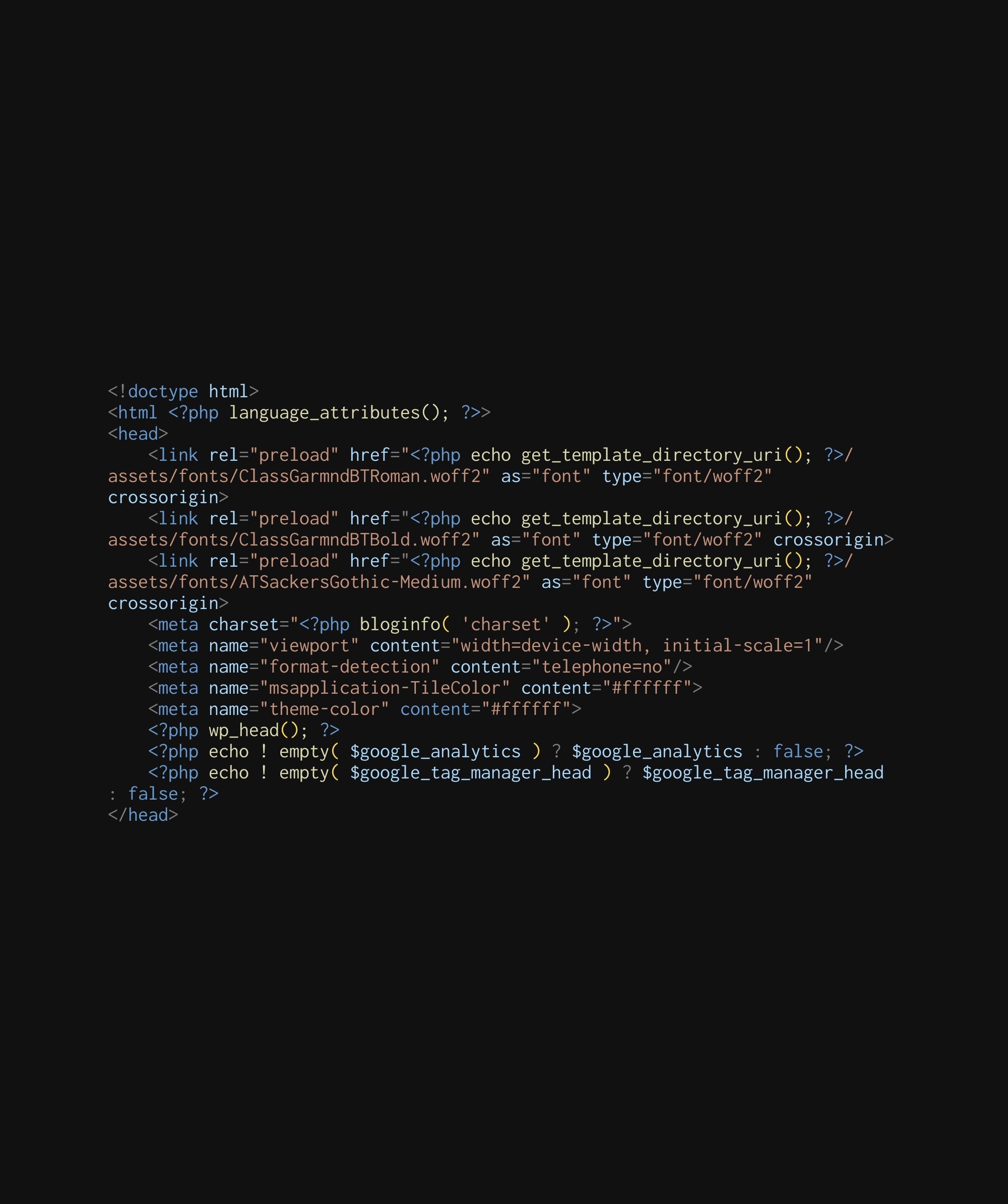
Accessibility in responsive web design makes websites usable for all users, including those with disabilities. Accessibility ensures that all users can access content effectively across all devices, supporting keyboard navigation, screen readers, and proper contrast ratios on any user’s device. The viewport meta tag is critical in responsive web design as it instructs the browser on how to scale and layout a webpage. The viewport meta tag should be used to adapt content to different screen sizes effectively, enhancing accessibility.
Allowing users to zoom and ensuring the visual arrangement matches the source order facilitates keyboard navigation and enhances accessibility. Incorporating these best practices into responsive web design ensures usability for individuals with disabilities across various devices, contributing to a more inclusive and user-friendly experience.
Best Practices for Maintaining Responsive Websites
Regular updates and monitoring are essential to maintain the functionality and performance of responsive websites. Maintaining a mobile responsive website is crucial to ensure ongoing usability and optimal user experience across all devices. Regular updates of WordPress and plugins maintain the functionality and security of responsive websites. Monitoring website speed and performance helps identify issues early and ensures a smooth user experience. Keeping content up-to-date is crucial for engaging users and improving search engine optimisation (SEO).
Responsive web design is a cost-effective solution as it requires maintaining only one responsive website for all devices. As part of responsive web design maintenance, it is important to keep mobile versions of the site up-to-date, ensuring simplified layouts and core functionalities are always optimised for mobile users. Following these best practices ensures responsive websites remain functional, secure, and engaging, providing an optimal user experience on any user’s device. Additionally, businesses can create websites that are both responsive and user-friendly.
Responsive web design is a vital practice for creating websites that deliver a seamless and consistent user experience across all devices. By understanding and implementing the fundamentals of responsive web design, such as fluid grids, media queries, and responsive images, web designers can build websites that adapt perfectly to any user’s device. Embracing a mobile-first approach and optimising performance further ensures that websites meet the growing demands of mobile users and enhance overall user satisfaction.
Maintaining responsive websites involves regular updates, performance monitoring, and ensuring accessibility for all users. By leveraging essential tools for testing and debugging, web designers can create and maintain high-performing, user-friendly websites. The journey towards mastering responsive web design may be complex, but it ultimately leads to creating websites that engage and satisfy users, driving business growth and success. Embrace these practices, and transform your web design approach to meet the evolving needs of the digital age.
What is the main goal of responsive web design?
The main goal of responsive web design is to ensure a consistent and optimal user experience across all devices by allowing web pages to adapt seamlessly to various screen sizes and resolutions. This approach enhances accessibility and usability for all users.
Why is a mobile-first approach important in responsive web design?
A mobile-first approach is crucial in responsive web design as it emphasises optimising the site for mobile devices, which are now the predominant way users access the internet. This prioritisation enhances user experience on smaller screens, laying a solid foundation for adaptability to larger devices.
How do fluid grids contribute to responsive web design?
Fluid grids enhance responsive web design by utilising relative units, such as percentages, for column widths, enabling layouts to adapt seamlessly to different screen sizes and improving user experience. They ensure that content remains accessible and visually appealing across a variety of devices.
What role do media queries play in responsive web design?
Media queries are essential in responsive web design as they enable the application of different CSS styles based on device characteristics like width and height. This functionality ensures that websites remain visually appealing and functional across various screen sizes.
How can web designers ensure accessibility in responsive web design?
To ensure accessibility in responsive web design, web designers should implement keyboard navigation, optimize for screen readers, and maintain proper contrast ratios.
Final Checklist for Responsive Web Design
Before launching your responsive website, use this checklist to ensure your site delivers a seamless experience across all devices and screen sizes:
- The website layout is fully responsive and adapts smoothly to different screen sizes and devices.
- The site is optimised for mobile devices, including mobile phones and tablets, ensuring fast load times and easy navigation.
- Design and layout remain consistent across various screen sizes, from small mobile devices to large desktop monitors.
- Navigation and interactive elements are user-friendly and accessible on all devices, including touchscreens.
- The website has been thoroughly tested on different devices and browsers to guarantee compatibility and a consistent user experience.
- Page loading speed is optimised for performance, providing a fast and efficient experience for every user.
- Clear and consistent calls-to-action (CTAs) are visible and accessible across all devices and screen sizes.
By following this checklist, you can be confident that your responsive website will provide an optimal experience for users on any device.
Further Resources
To deepen your understanding of responsive web design and stay updated with the latest techniques, explore these trusted resources:
- Smashing Magazine: Offers in-depth articles, tutorials, and case studies on responsive design, web development, and best practices for different devices and screen sizes.
- CSS-Tricks: Features practical guides, code snippets, and responsive design tips to help you master CSS and create flexible, mobile-friendly layouts.
- Responsive Design: A dedicated site with tutorials, articles, and resources focused on building responsive websites that adapt to various devices and screen sizes.
- W3C (World Wide Web Consortium): The official standards body for web technologies, providing comprehensive guidelines and documentation on responsive web and accessibility.
- Mozilla Developer Network (MDN): An extensive resource for web designers and developers, offering detailed documentation and examples on responsive design, media queries, and web page optimisation.
By leveraging these further resources, you can continue to refine your responsive web design skills and ensure your websites deliver exceptional experiences across all devices and screen sizes.